
📌 In short : In an era where every click can expose you to digital threats, securing your accounts and passwords is no longer optional but essential. From strong passwords to two-factor authentication, and from vigilance against phishing attempts, discover how to build a real personal cybersecurity strategy. This guide reveals the essential steps to protect your digital identity in a world where data has become the most valuable asset.
Key points to remember : A strong, unique password per account • Enabling two-factor authentication on your important accounts • Recognizing phishing traps • Using a reliable password manager • Regularly updating your software • Actively monitoring your accounts • Creating strong security questions
🔐 The invisible foundation: why your passwords are your first keys of protection
Imagine a safe whose lock is fragile. That's exactly what a weak password represents in your digital life. This simple arrangement of characters forms the barrier between your intimate data and those who would steal it. Every day, millions of unauthorized access attempts fail against well-built passwords, while others succeed against codes that are too simple or predictable.
A strong password acts like a smart lock: the more complex it is, the longer it takes to force it exponentially. Cybercriminals have sophisticated tools capable of testing millions of combinations per second. Against that, resistance lies in length, complexity, and above all the uniqueness of each password. Your personal cybersecurity strategy starts here, with the awareness that every account deserves individualized protection.
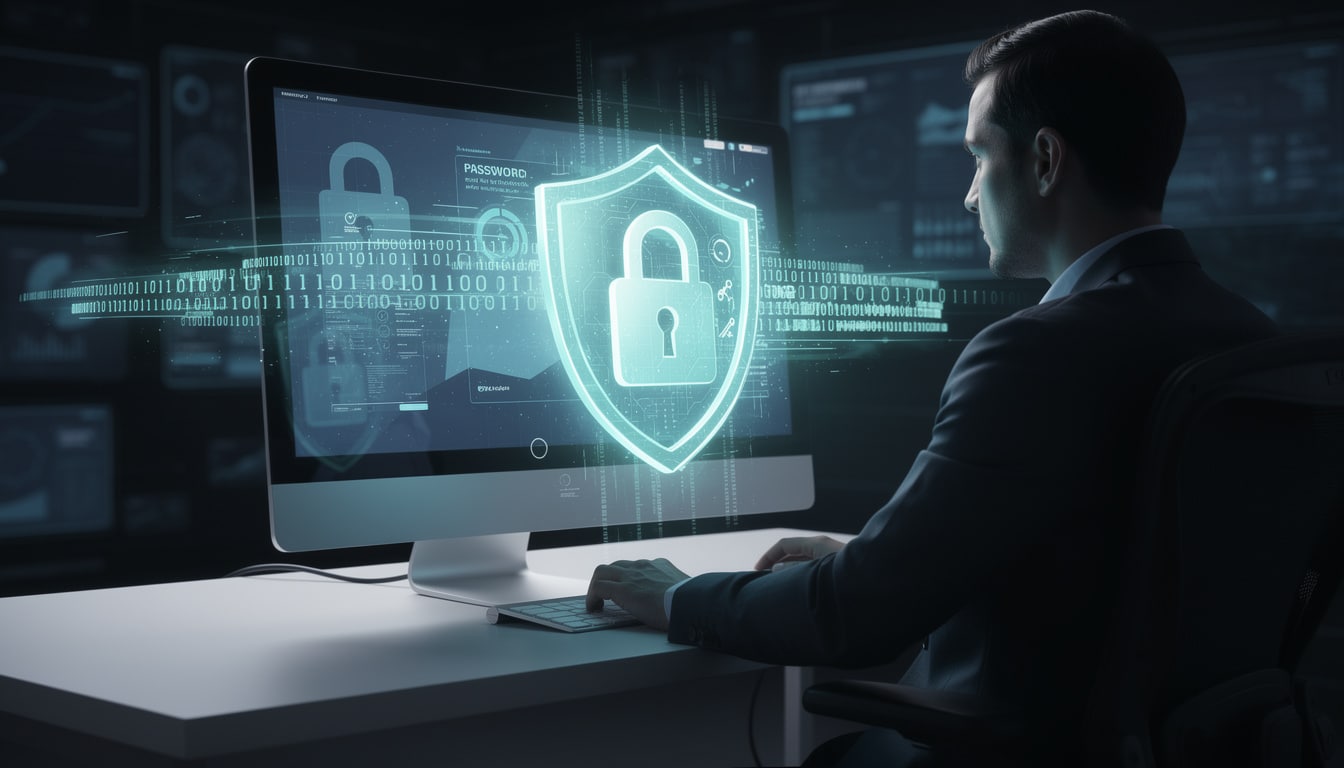
📝 Building a password that withstands attacks
The best practices for secure passwords are based on a few simple but often neglected principles. A password should be at least twelve characters long, mixing uppercase and lowercase letters, numbers, and special characters like “!”, “@”, or “#”. This combination creates complexity that stands up much better to brute-force attacks.
Avoid common traps: your birth date, your pet's name, or worse, a simple sequence of consecutive numbers. Hackers have dictionaries containing millions of common words and predictable patterns. Instead, consider creating a personal sentence from which you take the first letters, then replace some letters with numbers or symbols. For example, “J'ai acheté mon premier livre en 2005” could become “Ja1mmLe@2005!”. This method combines memorability and security.
According to the official recommendations of the CNIL, regularly creating new passwords, especially after a security alert, remains an essential practice. Changing them every three to six months provides additional protection against prolonged access attempts.
🔄 Uniqueness above all: why reusing a password is a major flaw
Many people, faced with the abundance of digital accounts, give in to the temptation to reuse the same password. It's an understandable habit, but a dangerous one. Imagine a universal key that opens all the locks in your life: if someone obtains it, everything collapses in a cascade.
When a database is compromised, cybercriminals don't just steal one password, they obtain a gateway to other accounts. If your Facebook account shares the same credentials as your personal email and your banking services, you create a systemic vulnerability. Each account must have its own password, unique and untraceable in the event of a leak.
This requirement for uniqueness may seem overwhelming to manage mentally. That's precisely why modern online account management solutions have become widespread to support this essential practice.
🛡️ The password manager: your silent ally
A password manager acts like an encrypted digital safe, protected by a single master password that only you remember. It generates complex codes, stores them, and fills them in automatically when you log in. LastPass, Dashlane, 1Password, or KeePass are proven examples. You now only have to remember one strong password, while hundreds of others remain unique and inaccessible to third parties.
This encrypted centralization offers a major psychological advantage: it removes the excuse of complexity. You can create even longer and more complex passwords, knowing you will never have to memorize them. The manager also syncs across your devices, simplifying management on phone, tablet, and computer.
🎯 Two-factor authentication: the extra layer that changes everything
Even the most robust password remains vulnerable if someone discovers it. Two-factor authentication (2FA) adds an extra layer: after entering your password, you must prove your identity a second time. This two-step authentication changes the game in terms of security.
The principle is simple: “something you know” (your password) and “something you have” (your phone, a physical security key, or another device). Even if a hacker manages to guess or steal your password, they cannot access your account without this second authentication element.
📱 The different forms of verification available
SMS codes remain the most common method, though imperfect. A text message sent during each login attempt provides a basic but effective barrier against remote access. Authentication apps like Google Authenticator or Microsoft Authenticator generate temporary codes on your phone, independent of your telecom operator and therefore more secure against number hijacking.
Physical security keys (YubiKey, Titan) are the most robust option. These small USB or Bluetooth devices connect directly to your computer and confirm your identity in a nearly unbreakable way. Biometric recognition—fingerprint or facial recognition—also offers modern flexibility while maintaining high security.
The ideal is to enable data protection by multi-factor authentication on your most sensitive accounts: email, financial services, major social networks. Why? Because your email remains the master key: whoever accesses it can reset the passwords of almost all your other services.
🎣 Phishing: recognizing the bait before you take it
Cybercriminals know that forcing a password can be complicated. They prefer trickery. Phishing consists of impersonating a trusted entity—your bank, an online service, a colleague—to get you to voluntarily disclose your sensitive data. The bait is often perfect, the fake emails almost indistinguishable from the real ones.
Every day, billions of phishing messages circulate. Some are broad, others specifically target individuals with hijacked personal information (spear-phishing). Unlike passwords or software updates, protection against phishing relies largely on your vigilance, on your ability to doubt and verify.
🔍 How to tell real messages from fake ones
Look closely at the sender's email address. Fraudsters use subtle variations: “supp0rt@banque.fr” instead of “support@banque.fr”, or “sécurité.monservice.xyz” instead of the official domain. A simple hover over the link (without clicking) is enough to see the real URL it would take you to.
Look for signs of artificial stress or urgency: “Your account will be closed in 24 hours!”, “Immediate verification required”. Cybercriminals know that panic short-circuits judgment. Legitimate companies will never ask you to confirm your credentials by email or SMS. No institution will ask you to click a link to “verify” your banking details.
Spelling mistakes or awkward phrasing are other warning signals. An official message from a major bank or platform generally adheres to language standards. Phishing campaigns, often automated or produced quickly, frequently contain errors.
To deepen this security awareness, authorities like Cybermalveillance.gouv.fr offer regularly updated resources on current threats and the best practices to adopt.
🔧 Constant maintenance: updates and active monitoring
Imagine your computer as a house. A strong password is a good lock, but a door with cracks in the frame remains vulnerable. Software updates patch those cracks. Every fix offered by your operating system, browser, or application closes vulnerabilities discovered where hackers could have slipped in.
Criminals know every current vulnerability, often before you've even heard of it. By delaying your updates, you remain exposed for a long time. The best approach is to enable automatic updates on all your devices—phone, laptop, tablet. A few minutes of occasional interruption are worth more than hours of compromise.
👁️ Monitoring is prevention
Beyond the technical side, actively monitoring your accounts remains crucial. Regularly check your bank statements, the login history of your email accounts or social networks. Most services offer a “Security activity” or “Connected devices” section that shows you where and when you've logged in.
There you may sometimes discover connections you don't recognize: an unusual city, a browser or device never used before. That's the signal to change your password immediately, enable two-factor authentication if not already enabled, and check whether other accounts have been compromised. Many services send email or push alerts for suspicious logins—enable these notifications.
🏦 Protect the accounts that control your financial life
Your bank accounts and payment services deserve special attention. They are directly linked to your financial resources. A compromise is not just a data breach, it's direct access to your money. Online banks generally offer advanced security layers: biometric authentication, personalized security questions, verification by SMS or phone call.
Use these protections. Although they may seem cumbersome, they drastically reduce risks. Some banks even offer virtual or disposable credit cards—unique, temporary numbers for each online purchase. These numbers cannot be reused, limiting the damage if the number is intercepted.
🛒 Best practices for online shopping
Before giving your payment information, check that the site starts with “https://” and displays a small padlock near the URL. This protocol encrypts data in transit. Never enter your banking credentials on unsecured public Wi‑Fi. Prefer your phone's cellular network or a VPN (virtual private network) that masks and encrypts your connection.
Well-known sites established for several years statistically offer more security than new shops without history. Read reviews, check the legal notices, consult the privacy policy. A legitimate company is clear about its security practices.
🌐 Public networks: a minefield you must cross with caution
Trendy cafés, airports, libraries offer free connectivity, but also easy access for anyone who wants to spy on your traffic. On unsecured public Wi‑Fi, your data travels in clear text, readable by hackers connected to the same network. This is particularly serious if you access your accounts or make transactions.
A VPN turns your connection into an encrypted tunnel. Everything you send and receive becomes unreadable to third parties. There are free VPNs, but paid options generally offer more speed and better privacy policies. Popular password managers often integrate a VPN or offer partnerships.
🚫 What to absolutely avoid on public networks
Never access your bank accounts or make financial transactions on public Wi‑Fi, even with a VPN. Never disclose your social security number, account credentials, or any sensitive information. Prefer waiting until you're on your own secure network. Disable your phone's “auto-connect” feature, which could otherwise connect to malicious networks disguised as legitimate public access points.
Hackers sometimes create fake Wi‑Fi networks with enticing names (“CaféGratuit_WiFi”) to intercept the data of those who connect. Always ask staff what the exact name of the official network is.
👨👩👧👦 Extend protection to all family members
Cybersecurity is not an individual matter. If a child uses a shared parental account, or if an elderly person has their data stolen, it affects the whole family. Children and older adults are often among the preferred targets of cybercriminals, respectively due to naivety and less familiarity with modern tactics.
Teaching the basics turns your loved ones into the first line of defense. Explain the difference between a strong password and a simple easy-to-guess word. Show how to recognize a phishing email. Set up two-factor authentication on important accounts. Create a family culture where asking “Are you sure this link really comes from that company?” is normal and encouraged.
🧒 Tailor awareness to each age group
For children and teenagers, gamification works well. Turn learning into a playful challenge: “Can you find three mistakes in this phishing email?”. Explain that hackers are real people who use sophisticated tricks, not abstract monsters. Teach them never to reveal personal information online, even on social networks.
For parents and older adults, patience and clarity are key. Many master digital tools but do not know modern threats. Guide them step by step to enable two-factor authentication. Remind them that legitimate institutions never ask for their sensitive data by email or phone. Install reliable antivirus software and make sure updates run automatically.
🚨 When the worst happens: taking back control after a compromise
Despite all precautions, a compromise can occur. Panic is natural, but immediate action is more important than perfection. If you suspect an account has been hacked—you receive an alert of suspicious login, you can no longer log in, or you see unrecognized activity—act without delay.
Access the account from another device or a secure computer. Immediately change the password to a new, complex code never used before. Check and update recovery information (alternate email, backup phone number, security questions). Review the activity history to see what an intruder may have done. Enable two-factor authentication if it was not already in place.
📞 Steps to follow
Contact the official support of the compromised service. Serious platforms offer dedicated recovery procedures and can review malicious changes. For financial accounts, contact your bank immediately and report unauthorized access.
Find out if other accounts shared the same password or similar information. If you had reused that code elsewhere, change it systematically on all services. Consider the incident an opportunity to strengthen your overall strategy: secure your accounts by adopting unique passwords and two-factor authentication on all critical accounts.
Also check whether your data has appeared in public lists after the leak. Sites like “Have I Been Pwned” allow you to check if your email or password appears in known compromised databases. It's free and anonymous.
To find out how to take concrete action, consult the essential reflexes to secure your accounts for a practical checklist adapted to your situation.
💎 Build a sustainable and human security routine
Total obsession with security leads to burnout; indifference leads to disaster. The balance lies in integrating simple actions into your digital daily life without becoming paralyzing. You don't need to master every technical detail, just adopt the practices that really matter.
Start small: create a strong, unique password for your main email—it's your biggest key. Enable two-factor authentication on that email. Install a reliable password manager. Once this foundation is in place, gradually extend it to other important accounts. Perfection doesn't exist in IT security; what matters is steady progress.
Review your strategy every six months. Threats evolve, tools improve. What was sufficient yesterday may be outdated tomorrow. Stay curious about developments, read security announcements from the services you use, and don't hesitate to strengthen your defenses when a new vulnerability becomes public. That's how you build a real personal cybersecurity strategy: slowly, regularly, with intention.
Profil de l'auteur
Derniers articles
 Smartphones & Mobile Phones14 October 2026The loyalty penalty on your mobile bill: why staying put costs you more
- Family, Babies & Children5 October 2026Airline family seating fees: what the planned ban will change for parents
- Everyday Life & Society23 September 2026Consumer confidence index: what the monthly mood check on British households really measures
- Agency, Webmarketing & SEO31 August 2026SEO : a Google bug skews visibility statistics in AI results




Table of Contents