Working from home is no longer an exception, it has become a reality for millions of professionals. But the absence of a physical office does not mean sacrificing comfort or productivity. Between a powerful computer, a suitable monitor, an ergonomic chair and well-thought-out accessories, creating a proper home workspace requires thought. This article explores the essential tech gadgets to transform your desk nook into a true professional space, where focus and well-being go hand in hand.
📌 Key takeaways: A powerful laptop or desktop is the indispensable foundation — opt for the MacBook Air M4 or the Asus Vivobook S14 depending on your preferences. An external 24 to 27-inch 4K monitor drastically improves visual comfort. Modern connectivity requires a reliable USB-C hub to avoid trailing cables. An ergonomic chair is not a luxury but a health investment: the Epic model from Noblechairs or the Markus from Ikea do the job. A motorized sit-stand desk lets you vary postures and fights sedentariness. Finally, an HD webcam and a noise-cancelling headset transform your video meetings and your ability to concentrate.
The computer: the foundation of effective remote work 💻
Choosing the right computer is like selecting the right materials for a binding project: every detail matters. An underpowered PC will not only waste your time, it will sap your enjoyment of work and wear down your patience from the very first hour. If your employer provides you with a work laptop, the question is settled. Otherwise, investing in a suitable machine becomes a priority.
For light to moderate remote work, the MacBook Air M4 offers that rare balance between performance, battery life and justified price. Its performance is sufficient for 90% of office tasks, and its Retina screen strains the eyes less during long days. If you prefer Windows, the Asus Vivobook S14 offers an excellent compact and affordable alternative.
Those looking for a full desktop PC will find satisfaction in the Mac Mini M4 — an elegant, quiet and remarkably powerful machine for 699 euros, provided you pair it with a monitor and peripherals. The investment is worth it: these machines last a long time and retain their value.

What real power do you need for which use? ⚙️
A legitimate doubt often arises: do you really need to splurge on high-end gear? The answer depends on your daily tasks. Browsing the internet, writing documents, joining Zoom meetings: an entry-level computer is more than enough. However, if you handle large files, complex Excel spreadsheets, or compile code, a more robust machine becomes necessary to avoid frustration.
Battery life deserves particular attention. Working around the house — from the sofa to the desk, from the terrace to the kitchen — requires a reliable battery. The latest Apple models and equally high-quality models from other brands offer impressive battery life, well beyond a full day.
The external monitor: opening visual horizons 🖥️
Staring at a 13-inch screen for eight hours straight is a recipe for eye fatigue. An external monitor transforms that experience into something brighter — literally and figuratively. This seemingly secondary accessory quickly becomes indispensable.
A 24 to 27-inch Full HD monitor represents the pragmatic choice: big enough to fit several windows side by side, affordable enough not to empty your wallet. If your budget allows and you have the space, stepping up to a 28-inch 4K model offers additional comfort that pays off over time. The Dell monitor offered for under 130 euros in 27 inches deserves its excellent reputation.
An often-overlooked technical detail is the refresh rate. A minimum of 75 Hz reduces eye fatigue compared to classic 60 Hz screens. Your eyes will thank you after a few days of that slight improvement. As for ultrawide 21/9 or 32/9 panels, they represent the pinnacle of comfort for those juggling multiple applications simultaneously — but they require a very large desk.
For those looking to optimize their comprehensive remote work guide, the external monitor ranks among the most cost-effective investments in terms of well-being and productivity.
Visual ergonomics, often overlooked 👀
Positioning a monitor correctly is almost an art. The top of the screen should be at eye level when you sit upright, and about 50–60 centimeters from your face. An adjustable VESA mount allows for that precision. Amazon Basics models, which are actually Ergotron units rebranded, quickly become indispensable once you discover them.
Paying attention to posture prevents many problems: migraines, neck pain, dry eyes. These sensations accumulate silently and hurt your day without you understanding the cause.
Modern connectivity: taming the cables 🔌
Modern laptops shine for their thinness, but sacrifice the generous connectivity of the past. A few USB-C ports are no longer enough when you need to connect a monitor, a mouse, a webcam, charge your phone and transfer data. That's where USB-C hubs become valuable allies.
On a limited budget? The compact Novoo hub adds USB-A ports, a 4K HDMI output and a card reader for under 50 euros. Need more? A more complete sibling from the same manufacturer includes Gigabit Ethernet and USB-C passthrough charging — saving a dedicated USB-C port for power. For owners of high-end MacBook Pros or Dell XPS laptops, a Thunderbolt 3 dock like CalDigit's SOHO Dock offers the smoothest experience, with two simultaneous 4K video outputs and up to 100 W of charging.
Adding a reliable hub transforms your desk into a coherent ecosystem where every device has its place without compromise.
Keyboard and mouse: the daily contact 🖱️
These accessories accompany your gestures for eight hours every day. Skimping on their quality is accepting a slight, permanent frustration—imperceptible but real. Logitech has built a solid reputation in this segment by offering excellent value for money.
The Logitech MX Master 3 embodies excellence: perfect ergonomics, a side scroll wheel that lets you scroll horizontally in Excel sheets at impressive speed, and the ability to connect to multiple devices. It turns repetitive gestures into almost pleasant rituals. For classic office work, it far exceeds expectations.
Regarding keyboards, the choice depends on your environment. Do you work alone or share the space with someone? Membrane keyboards, like the Logitech MX Keys, offer quiet typing ideal for couples where one person works while the other sleeps or relaxes nearby. These keyboards also provide a soft backlight that helps during late-night sessions.
Fans of mechanical keyboards should choose tactile switches rather than clicky ones to preserve household peace. Although often associated with gamers, these keyboards offer an excellent typing experience for work — you just have to accept the extra noise.
Webcam and microphone: the face of remote work 📹
Video meetings have become the beating heart of distributed work. A poor-quality camera sabotages your credibility despite excellent presentation. Conversely, a good image reassures your interlocutors and eases communication.
If you have a laptop, its built-in camera will be enough to start. For a desktop, an external webcam becomes essential. The Razer Kiyo is popular thanks to its small integrated ring light — handy for poorly lit offices — and its smooth autofocus. It records at 1080p 30 fps or 720p 60 fps depending on your needs.
For a more generous budget, the Logitech StreamCam excels in all areas: automatic framing, AI face detection, intelligent exposure. Its 120 euros invested in clear, professional meetings pay off quickly. Some monitors like the Dell C2423H integrate a retractable camera — an elegant solution to avoid buying one separately.
The microphone, often neglected, deserves as much attention as the camera. Most decent headsets offer an integrated mic: just check that it doesn't add background noise during your tests. For those looking to refine this aspect, a good article on essential remote work gadgets will delve deeper into the subject.
Chair ergonomics: protect your back 🪑
Your spine has no sense of humor. Sitting for hours on a bad chair will make itself known through persistent pain that builds up over weeks, then months. Investing in a decent chair is not a luxury, it's a medical necessity.
The basic rules remain immutable: straight back, arms forming a right angle, screen at eye level, feet flat. A quality ergonomic chair makes these positions easier to achieve naturally.
The Epic model from Noblechairs sets a new standard for prolonged comfort. At around 400 euros, it's a serious investment, but it is precisely adjustable, durable and offers remarkable lumbar support. For a more affordable alternative, the Markus model from Ikea at 249 euros “does the job” honestly — fewer frills, but sturdy and versatile. Some companies even offer allowances for these purchases: check with your employer.
A good chair wears slowly. Properly maintained, it can serve you for a decade without fatigue.
Sit-stand desk: move to stay alive 📈
Sedentary behavior kills slowly. Sitting eight hours daily, even on the best chair in the world, harms your circulatory and muscular health. A motorized sit-stand desk lets you alternate positions, wakes up your circulation and prevents numbness.
The Flexispot E7 model offered at an honest price provides a quiet mechanism, programmable height memory and a collision sensor for your safety. Pressing a button to go from 65 to 125 cm in a few seconds brings welcome variety to your day. Some users even add a small treadmill to “walk while working” — those who have tried it don't go back.
If you want to test the concept without a major investment, Ikea's Mittzon option offers a similar experience, although motorized differently.
Support and elevation: posture starts there 📐
A laptop sitting directly on the desk forces your eyes to look down — a position unnatural after eight hours. A simple aluminum stand for 35 euros raises the screen to the right height, eliminating that insidious strain.
The BoYata stand fits all laptops from 10 to 17 inches, unfolds in seconds and gives your desk a clean look. For those who like to work from the sofa or bed, the Cushdesk from Belkin creates a padded barrier that protects both your device from overheating and your thighs from discomfort. Note, however, that prolonged use of these positions remains discouraged by back specialists.
These small adjustments transform your posture without revolutionizing it.
Headphones and audio: silence is productivity 🎧
Isolating your concentration from the outside world becomes increasingly important when you share your living space with others. A good pair of headphones gives you that indispensable sonic refuge.
The Bose QuietComfort in the mid-range delivers exceptional active noise cancellation coupled with lasting comfort — crucial for long work sessions. The CMF Headphone Pro under the 100-euro mark surprises with its quality: less expensive, but competent. For frequent video calls or occasional gaming, the Logitech Pro X 2 Lightspeed dedicated to PC offers a good built-in mic and reduced latency.
Choosing between passive isolation and active noise cancellation depends on your environment. A quiet home benefits from passive isolation. A noisy dwelling battles with active cancellation — and it generally wins.
Connectivity and power accessories 🔋
Your internet connection remains the silent backbone of remote work. An unstable connection sabotages meetings, downloads and your general morale. If you have the opportunity to switch to a high-speed fiber plan, it's worth it.
For those working in rural areas without fixed access, a portable 4G or 5G router provides a reliable alternative. The cost is reasonable compared to the damage a poor connection does to your productivity.
Charging stations that organize multiple cables simultaneously turn a cluttered desk into a tidy space. They support smartphones, watches, earbuds — anything that needs power. Models with fast wireless charging offer real convenience after a few weeks of use.
Complementary gadgets: well-being in detail 🌡️
Beyond the essentials, certain gadgets nicely complement your environment without costing a fortune. A small USB fan against summer heat brings noticeable relief — especially if you were used to air-conditioned offices. These affordable models create a useful little breeze on your face.
A lumbar cushion enhances the comfort of your existing chair if you cannot replace it. Some people add an ergonomic footrest to perfect their sitting position — every detail counts when it comes to spending eight hours in the same place.
To deepen your knowledge of essential items, resources like this article on high-tech accessories for remote work offer useful complementary perspectives.
Transforming the space: organization and storage 🗂️
A cluttered desk creates a cluttered mind. How you physically organize your workspace directly influences your ability to concentrate. Cable storage bags, lightweight filing boxes, a mini thermal printer for quick notes — these modest items structure your environment.
The printer occupies a special place. Many think they'll never need one while teleworking, then find themselves scanning important documents or frantically searching for printing solutions. A small multifunction printer solves this discreetly while taking up little space.
Some users, like Marc, a part-time entrepreneur, report that simply implementing a storage system increases their perceived efficiency and enjoyment of work. The brain likes order — even minimalist order.
The digital ecosystem: harmonizing your tools 🔗
Having the best computer, the nicest chair and the most expensive accessories is not enough. These gadgets must work together harmoniously. A wireless keyboard that pairs with one click, a mouse that automatically recognizes your device, monitors that wake up together — this well-oiled ecosystem multiplies your efficiency.
Brands like Apple, through its Continuity ecosystem, or Logitech's cross-platform solutions simplify this harmonization. Your mouse recognizes your laptop and your desktop instantly. Your keyboard switches between devices via a simple shortcut. These details create an imperceptible but profound fluidity.
To explore more tools and modern solutions, this comprehensive guide to tools for remote work offers in-depth perspectives on selecting equipment.
Think about health: mental and physical ergonomics 🧠
Technology frees us but it can also trap us. Working from home requires a certain mental discipline. Get up at your usual times, dress properly — not in pajamas. These daily rituals create a psychological boundary between “work” and “home”, however thin.
Set up a dedicated desk corner, even if it's small. Physically delimiting your workspace helps your brain switch into productive mode. Video calls become more effective when participants detect this invisible limit — when they feel that you are really at work, not just at home with a laptop.
Take regular breaks. Paradoxically, the flexibility of remote work creates a tendency to work without interruption. Have a coffee, stretch, look out the window. These breaks restore your concentration far better than forcing through fatigue. And when your day ends, truly leave your workspace — resist the temptation to check emails in the evening.
Investment versus savings: think long-term 💰
Your tech gadgets are investments, not disposable expenses. A 150-euro keyboard that lasts five years ultimately costs 30 euros per year. A 400-euro ergonomic chair used eight hours a day for a decade is worth every cent in terms of comfort and preserved health.
Legally, if remote work is imposed on you without alternative premises, your employer must finance the basic equipment. Check with your management: some companies even offer allowances or reimbursements for equipment. Not asking is accepting to pay out of your own pocket for what should be covered.
For an updated overview of technological solutions, the article on tech accessories for remote work offers an enriching 2025 perspective.
Pitfalls to avoid: what novices forget 🚫
Many remote workers buy gadgets without a real plan. They end up with unused cables, accessories quickly replaced, poorly coordinated equipment. A few pitfalls to watch for: buying without measuring your space, neglecting USB-C/USB-A compatibility, forgetting that a cheap chair becomes a source of pain after three months.
Test before buying when possible. Consult reviews from users who actually worked with the gear daily, not just tested it for an hour. Check warranties: a keyboard that breaks after a year of intensive remote work is a real loss.
Most good gadgets are not the most expensive, but those that truly match your usage.
Humanity in technology: don't forget the essential 💝
Behind all these gadgets, there is a simple truth: technology must serve your well-being and efficiency, not enslave you. An excellent home office creates a space where you enjoy working, where your back does not make you suffer, where you can see your colleagues and collaborators clearly.
Think about your daily rituals. Some enjoy a discreet background playlist. Others need absolute silence. Some like a bit of movement — a treadmill, a stability ball as an occasional seat. These individual preferences, once integrated into your setup, transform your day.
Remote work is not a gilded prison. With the right gadgets, suitable equipment and thoughtful organization, it becomes a haven of personal productivity. A place where you build something important, at your own pace, without the sirens of the office distracting you. It's a rare privilege: cultivate it.
Profil de l'auteur
Derniers articles
 Electricity, Gas & Energy14 September 2026Gaz et électricité : ce que la hausse des tarifs va changer sur votre facture
- Agency, Webmarketing & SEO12 September 2026Fusion Omnicom-IPG : ce que la plus grande agence de publicité au monde change pour les marques
- Retirement & Senior Living10 September 2026Carte Avantage Senior SNCF : comment voyager moins cher en train après 60 ans
- Tech & Multimedia8 September 2026Objets connectés : la fin de la 2G et le nouveau Data Act vont rebattre les cartes


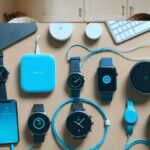
Table of Contents